
Circle Calculator
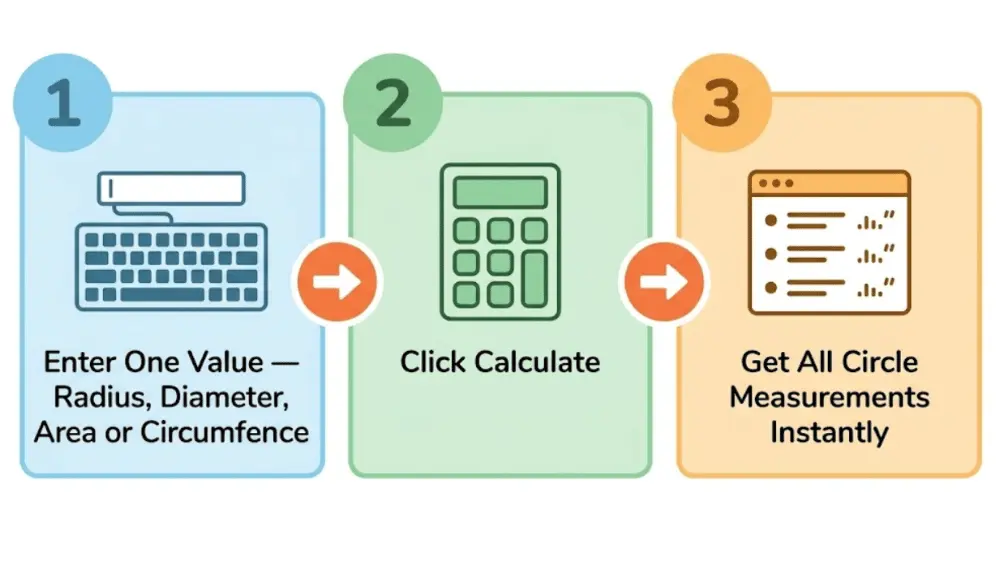
Enter any one value — radius, diameter, circumference, or area — and get all properties instantly.
Enter a value to see
the circle diagram
Related Tools:
- Area of a Circle Calculator
- Circumference Calculator
- Circle Theorems Calculator
- Minecraft Circle Generator
Circle Calculator — Find Radius, Diameter, Area & Circumference Instantly
Not sure how to measure a circle? Just enter one value — radius, diameter, area, or circumference — and our Circle Calculator does the rest for you in seconds. No formulas to memorise. No pen and paper needed.
Circle Calculator
Enter any one value above. All other measurements will calculate automatically.
What Is a Circle?
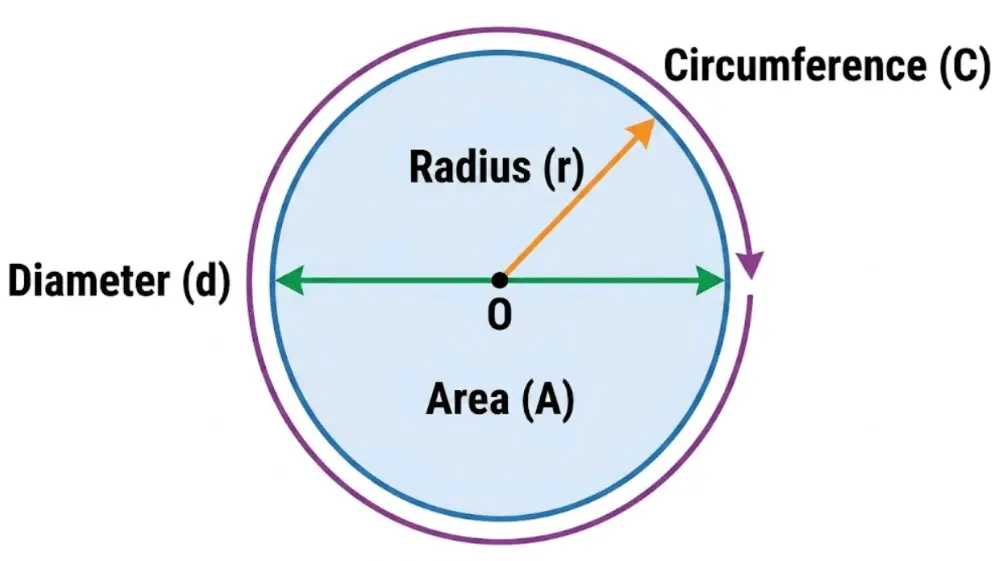
A circle is a perfectly round, flat shape. Every point on its edge is exactly the same distance from the centre. That distance is called the radius. You can spot circles everywhere — a coin, a pizza, the full moon, a car wheel.
Circles have been studied for thousands of years. Ancient Egyptians used circle math as far back as 1700 BCE. Today, circles appear in everything from engineering and architecture to computer graphics and everyday life.

Parts of a Circle — Simple Definitions
Before using the calculator, it helps to know what each term means:
- Centre (O)
- The exact middle point of the circle. Every point on the edge is the same distance from here.
- Radius (r)
- The distance from the centre to any point on the edge. The radius is always the same for one circle.
- Diameter (d)
- A straight line that goes from one side of the circle to the other, passing through the centre.
It is always twice the radius:
d = 2r - Circumference (C)
- The total distance around the outside of the circle — like measuring the border of a coin.
- Area (A)
- The amount of flat space inside the circle — like the surface of a pizza.
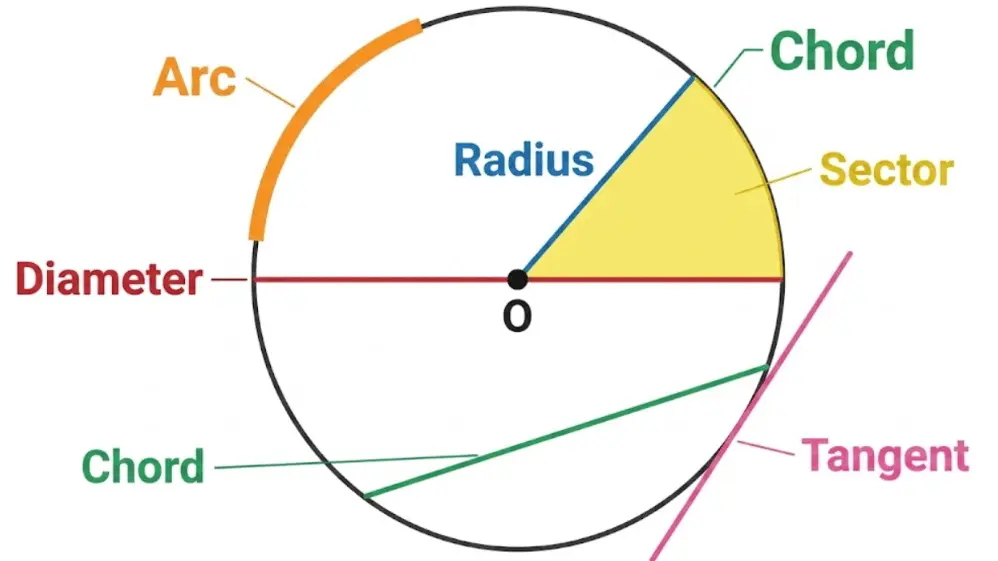
- Arc
- Any curved part of the circle’s edge, like a slice of the border.
- Chord
- A straight line joining two points on the edge, but not passing through the centre.
- Sector
- A “pizza slice” shape — the region between two radii and an arc.
- Tangent
- A straight line that just touches the circle at one point and does not cross it.
Circle Formulas — How the Calculator Works
Our calculator uses these standard formulas to find every measurement from just one input. Here they are in plain English:
1. Diameter Formula
The diameter is simply double the radius:
d = 2 × rOr if you know the diameter and need the radius: r = d ÷ 2
2. Circumference Formula
The circumference is how far you would walk if you walked around the circle once:
C = 2 × π × rOr using diameter: C = π × d
Here, π (pi) is a special number ≈ 3.14159. It never changes, no matter how big or small the circle is.
3. Area Formula
The area tells you how much space is inside the circle:
A = π × r²Or using diameter: A = π × (d ÷ 2)²
4. Radius from Other Values
From circumference:  r = C ÷ (2π)
From area:           r = √(A ÷ π)
From diameter:       r = d ÷ 2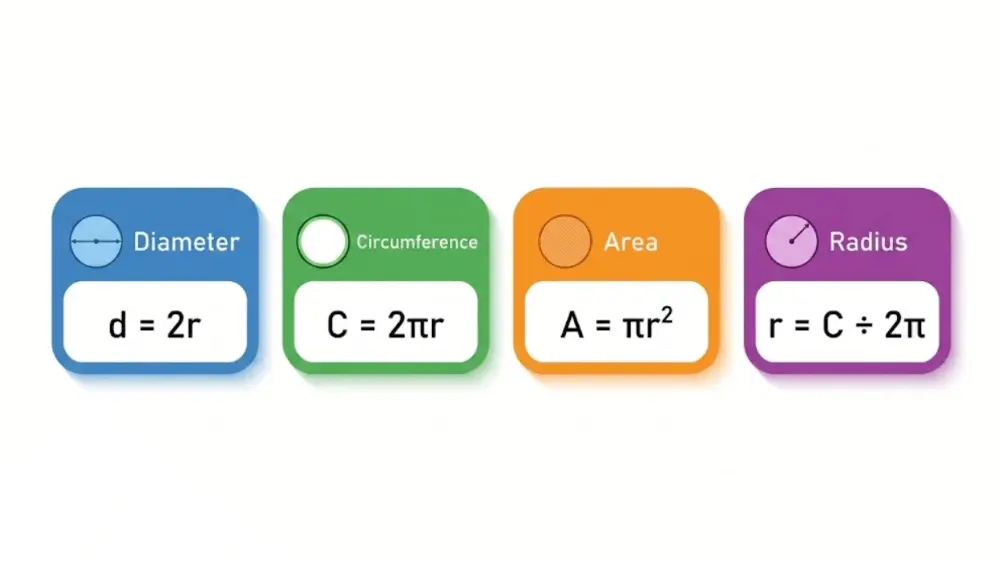
How to Use the Circle Calculator — Step by Step
Example 1: You Know the Radius
Suppose the radius of a circle is 5 cm.
- Enter
5in the Radius field. - The calculator instantly shows:
- Diameter = 10 cm
- Circumference = 31.42 cm
- Area = 78.54 cm²
Example 2: You Know the Diameter
If the diameter is 20 cm:
- Radius = 10 cm
- Circumference = 62.83 cm
- Area = 314.16 cm²
Example 3: You Know the Circumference
If the circumference is 50 cm:
- Radius = 7.96 cm
- Diameter = 15.92 cm
- Area = 199.04 cm²
Example 4: You Know the Area
If the area is 500 cm²:
- Radius = 12.62 cm
- Diameter = 25.23 cm
- Circumference = 79.27 cm
What Is Pi (π)?
Pi (π) is a special mathematical number, approximately equal to 3.14159. It is the ratio of a circle’s circumference to its diameter — meaning if you divide the distance around any circle by its diameter, you always get π.
This ratio never changes, no matter how large or small the circle is. Pi is an irrational number, which means its decimal never ends or repeats. In 1882, mathematician Ferdinand von Lindemann proved that π is transcendental — making it impossible to “square the circle” using only a ruler and compass.
In our calculator, we use π = 3.14159265 for the highest accuracy.
Circle Calculator — Works in Any Unit
Our calculator supports all common measurement units. Just enter your value and choose the unit that matches your project.
| Metric Units | Imperial Units |
|---|---|
| Millimetres (mm) | Inches (in) |
| Centimetres (cm) | Feet (ft) |
| Metres (m) | Yards (yd) |
| Kilometres (km) | Miles (mi) |
Where Circle Calculations Are Used in Real Life
Engineering & Manufacturing
Engineers use circle calculations to design pipes, gears, shafts, and mounting plates. Knowing the exact circumference and area helps determine material quantities, tolerances, and load distribution for mechanical parts.
Architecture & Construction
Architects design circular structures like domes, arches, roundabouts, and pillars. Accurate circle measurements ensure correct material usage and structural strength.
Education & School Maths
Students from primary school to university use circle formulas in geometry, trigonometry, and calculus. This calculator helps check homework answers and understand the relationship between radius, diameter, circumference, and area.
Everyday Home Projects
Laying a circular patio, cutting a round tabletop, designing a garden bed, or making a wreath — all these tasks are easier when you know exact circle dimensions.
Graphic Design & Art
Designers working with circular logos, patterns, or layouts rely on precise measurements to get proportions right. Circle geometry is the foundation of many visual designs.

Beyond the Basics — Advanced Circle Calculations
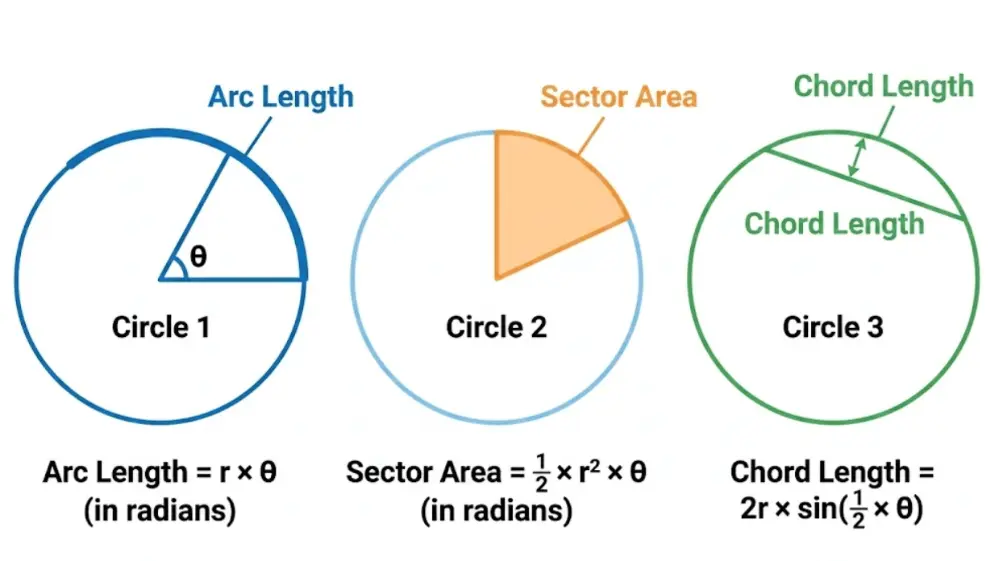
Arc Length
An arc is part of the circle’s circumference. To find arc length, you need the radius and the central angle (θ):
Arc Length = (θ ÷ 360) × 2πrFor example, a 90° arc on a circle with radius 10 cm = (90 ÷ 360) × 2π × 10 = 15.71 cm.
Sector Area
A sector is the “pizza slice” region. Its area formula is:
Sector Area = (θ ÷ 360) × π × r²Chord Length
A chord connects two points on the circle. Its length depends on the radius and central angle:
Chord = 2 × r × sin(θ ÷ 2)Radius of Curvature (from Chord and Height)
If you know the chord length (c) and arrow height / sagitta (f), you can find the radius:
r = (c² ÷ 8f) + (f ÷ 2)This is useful in construction and design work where curved surfaces are measured by chord and height.
Circles Combined with Other Shapes
Sometimes you need to find the area or perimeter of a shape that includes a circle plus rectangles, triangles, or trapeziums. These are called composite shapes.
The method is simple:
- Break the shape into its basic parts (circle, rectangle, trapezium, etc.).
- Calculate the area or perimeter of each part separately.
- Add or subtract the results to get the total.
For a semi-circle on top of a rectangle: Total Area = (½ × π × r²) + (length × width).
Circle Formulas Quick Reference Table
| What You Want | What You Know | Formula |
|---|---|---|
| Diameter | Radius | d = 2r |
| Radius | Diameter | r = d ÷ 2 |
| Circumference | Radius | C = 2πr |
| Circumference | Diameter | C = πd |
| Area | Radius | A = πr² |
| Area | Diameter | A = π(d/2)² |
| Radius | Circumference | r = C ÷ (2π) |
| Radius | Area | r = √(A ÷ π) |
| Diameter | Area | d = 2 × √(A ÷ π) |
| Arc Length | Radius + Angle | L = (θ/360) × 2πr |
| Sector Area | Radius + Angle | A = (θ/360) × πr² |
Key Properties of a Circle
- All points on the circle are exactly the same distance from the centre.
- The diameter is always the longest chord of a circle.
- A circle has infinite lines of symmetry — every line through the centre is a mirror line.
- The ratio of circumference to diameter is always π (pi), for every circle.
- A circle has no corners or edges — it is a perfectly smooth, continuous curve.
- An angle inscribed in a semicircle is always 90°.
- Parallel tangents to a circle are always separated by a distance equal to the diameter.
Frequently Asked Questions — Circle Calculator
What is a circle calculator?
A circle calculator is a tool where you enter one known value — radius, diameter, circumference, or area — and it instantly calculates all the other measurements using standard geometry formulas.
How do I find the area of a circle?
Use the formula A = π × r². If you know the diameter, divide it by 2 to get
the radius first. Or simply enter any one value into our calculator above.
What is the difference between radius and diameter?
The radius goes from the centre to the edge. The diameter goes from edge to edge, passing through the centre. The diameter is always exactly twice the radius.
How accurate is the calculator?
Our calculator uses π = 3.14159265 and gives results to 4 decimal places — accurate enough for school projects, engineering design, and professional applications.
Can I use this calculator for any unit of measurement?
Yes. You can use millimetres, centimetres, metres, inches, feet, yards, or any unit. The result will always be in the same unit you entered.
What is circumference?
Circumference is the distance all the way around the outside of a circle — like the
perimeter of a polygon, but for circles. Formula: C = 2πr or C = πd.
How do I find the radius from the area?
Use the formula r = √(A ÷ π). Divide the area by π, then take the square root.
Or just enter the area into the calculator — it does this for you instantly.
What is pi (π)?
Pi is a mathematical constant ≈ 3.14159. It is the ratio of any circle’s circumference to its diameter. It never changes, no matter what size the circle is.
Can I calculate arc length with this tool?
Yes — enter the radius and central angle to find arc length using
L = (θ ÷ 360) × 2πr. Our advanced calculator panel includes this option.
Is this calculator useful for kids?
Absolutely. The calculator is designed to be simple and easy for students of all ages. Just type in one number and see all the answers right away — perfect for homework and maths practice.